

Alternatives to BlueHumanizer
BlueHumanizer transforms AI-generated text into clear, natural writing with one click while preserving your original meaning and tone.
Explore 20 alternatives to BlueHumanizer. Compare features, pricing, and find the best fit for your needs.

Capafy AI
Agent Skills marketplace: discover expert AI agents, run them online, or publish a Skill and earn from every sale.
Noter AI
AI meeting notes, transcripts, summaries and action items on iPhone, iPad and Android.



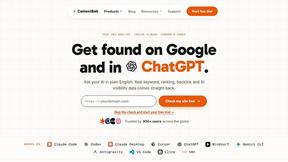
ContextBolt SEO
Research keywords, competitors, backlinks and AI visibility in Claude or Codex. Keep the findings in your SEO dashboard.





Poised
Poised writes and schedules LinkedIn posts so you’re known for something — without living on LinkedIn.
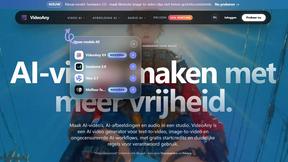
VideoAny BE
Create AI videos from text or images, generate images and audio in one online studio.

VideoAny BR
Create AI videos from text or images, generate images and audio in one online studio.
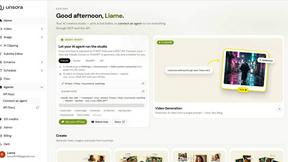

HubVanta AI
HubVanta AI helps creators generate images and videos with advanced AI tools for visual content workflows.
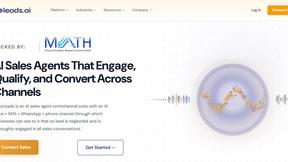
EchoLeads AI
EchoLeads AI is an enterprise platform that uses intelligent voice agents to automate cold calling, lead qualification, and appointment scheduling.

About BlueHumanizer Alternatives
BlueHumanizer is an AI humanizer tool that falls under the broader category of AI writing assistants and text refinement software. Its primary function is to take content generated by large language models like ChatGPT, Claude, or Gemini and rewrite it into text that reads as if it were written by a human, preserving the original meaning, tone, and key points while improving flow and sentence structure. Users often look for alternatives to BlueHumanizer for a variety of reasons, including the need for different pricing models beyond a free tier, specific language support requirements, integration with particular platforms or workflows, or a desire for more granular control over the output style and tone. Some users may also seek tools with advanced features like bulk processing, plagiarism checks, or API access for automation. When evaluating an alternative to BlueHumanizer, it is important to consider several key factors. First, assess the core functionality: does the tool simply swap synonyms, or does it genuinely restructure sentences to create natural rhythm and flow? Second, look for the preservation of critical elements like quotes, citations, and technical terminology, which are often essential for academic or professional writing. Third, consider the range of supported languages and the flexibility of customization options, such as adjustable humanization levels and tone controls. Finally, evaluate the pricing structure and whether the tool offers a free tier or trial period that allows you to test its output quality against your specific use case, whether that be academic essays, marketing copy, or business correspondence.
FAQs about BlueHumanizer Alternatives
What is BlueHumanizer?
BlueHumanizer is an AI humanizer tool that transforms AI-generated text into clear, natural-sounding writing in a single click. It works by reshaping sentence structure and restoring natural rhythm, going beyond simple synonym swapping to deliver polished, human-sounding prose. The tool supports over 50 languages and offers adjustable humanization levels and tone controls, making it suitable for a wide range of writing tasks.
Who is BlueHumanizer for?
BlueHumanizer is built for students, researchers, marketers, and anyone who writes with AI assistance. It is ideal for refining essays, polishing research papers, creating on-brand marketing copy, or warming up everyday emails and reports. The tool is designed to help users who need to present AI-generated content as natural, publish-ready text without losing their intended meaning or key points.
Is BlueHumanizer free?
Yes, BlueHumanizer is free to start and does not require a credit card to begin using the service. This allows users to test the tool and evaluate its output quality before committing to any paid plan. The free tier provides access to core humanization features, making it accessible for casual users and those with limited budgets.
What are the main features of BlueHumanizer?
The main features of BlueHumanizer include one-click humanization that preserves meaning, tone, and key points, as well as advanced sentence restructuring that restores natural rhythm. It also keeps quotes and citations untouched, supports over 50 languages, and provides adjustable humanization levels and tone controls. These features make it a versatile tool for creating polished, human-sounding text from AI-generated drafts.