

Alternatives to Vivideo
Vivideo is a free AI video generator that turns text and images into high-quality videos up to 10 minutes long using over 30 top models.
Explore 20 alternatives to Vivideo. Compare features, pricing, and find the best fit for your needs.

Dola AI
Freemium AI creative studio: generate images and videos, edit photos and films, compose 3D scenes, and work with docs, sheets, slides and PDFs.
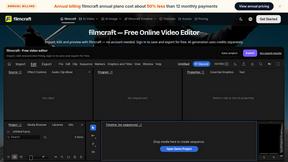
filmcraft
Free online video editor in your browser: import, color, audio and preview with no account. Optional AI tools use credits.
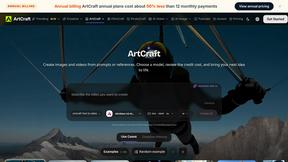
ArtCraft
Browser creative studio for images, video and 3D: compose, edit, stage scenes and organize references. AI generation uses credits.

GenX
All-in-one AI workspace to generate images, videos, and audio with multiple leading AI models.
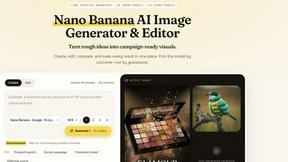
Nano AI
Create and edit AI images, generate videos, and compare models in one creative workbench.
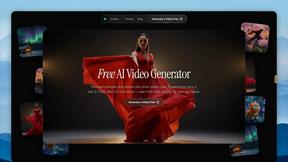
FreeVideoGenerator
Free AI video generator: turn text prompts and photos into video clips with Sora 2, Veo 3.1, Wan and more. Free starter credits, no watermark download
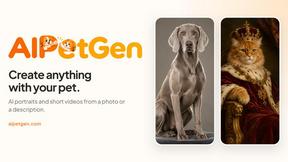
AIPetGen
AIPetGen turns a photo of your dog, cat, or other pet, or a written description, into a new picture or a short animation.

Slide-Easy
A Mac app that turns your App Store link into a week of Instagram Reels and carousels, written from your real reviews.





Video2URL
Turn videos, images, PDFs, and files into shareable links with fast uploads and privacy-friendly controls.
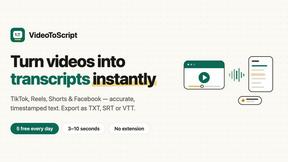
VideoToScript
Turn TikTok, Reels, Shorts, Facebook videos, audio, and video into accurate timestamped transcripts with TXT, SRT, and VTT exports.

UGCad AI
AI UGC video ad Generator which Turn a URL, prompt, or template into a ready video ads

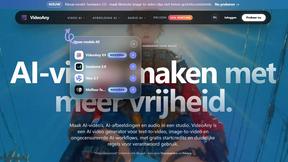
VideoAny BE
Create AI videos from text or images, generate images and audio in one online studio.

VideoAny BR
Create AI videos from text or images, generate images and audio in one online studio.
HubVanta AI
HubVanta AI helps creators generate images and videos with advanced AI tools for visual content workflows.
About Vivideo Alternatives
Vivideo is an AI-powered video generation platform that belongs to the rapidly growing category of automated visual content creation tools. It enables users to transform text prompts, scripts, articles, or uploaded images into polished video content with minimal manual effort. The platform is designed for creators, marketers, businesses, and educators who need to produce videos for social media platforms like TikTok, Instagram Reels, and YouTube Shorts, as well as for marketing campaigns, product promotions, and tutorials. Users commonly seek alternatives to Vivideo for several practical reasons. Pricing structures may not fit every budget, especially for small businesses or individual creators who need more flexible subscription tiers. Some users require specific features not emphasized by Vivideo, such as advanced customization of animation styles, deeper integrations with existing marketing stacks, or support for niche video formats. Others might need a platform that offers a different balance of speed versus creative control, or one that provides more extensive stock asset libraries or language support. When evaluating alternatives, key considerations include the quality and speed of AI generation, the range of export resolutions and aspect ratios, the intuitiveness of the editing workflow, and the availability of multilingual voiceovers and automatic captioning. It is also important to assess how well the platform’s output matches the user’s specific content goals, whether that involves short-form social videos or longer educational pieces.
FAQs about Vivideo Alternatives
What is Vivideo?
Vivideo is an advanced AI video generator that turns text, scripts, articles, product descriptions, or uploaded images into high-quality videos. It automatically generates visuals, voiceovers, subtitles, music, and transitions, streamlining the entire video production process for creators and businesses.
Who is Vivideo for?
Vivideo is designed for creators, marketers, businesses, and educators who need to produce engaging video content quickly. It is particularly useful for those creating videos for TikTok, Instagram Reels, YouTube Shorts, marketing campaigns, product promotions, and tutorials, without requiring advanced video editing skills.
What are the main features of Vivideo?
Vivideo offers text-to-video and image-to-video capabilities, powered by multiple AI video models. Key features include multilingual AI voiceovers, automatic captions and subtitles, customizable aspect ratios, HD and 4K export options, and an intuitive editing workflow. It also provides access to millions of stock assets to enhance video production.
Is Vivideo free?
Vivideo typically operates on a subscription-based pricing model, though specific free trial or freemium options may be available depending on the current offering. Users should check the official Vivideo website for the most up-to-date information on pricing tiers, free trials, and any limitations on export quality or video length.