Veo 4 video generator
Veo 4 transforms text, images, or videos into stunning, studio-quality clips in seconds, streamlining the creative process for teams.
Visit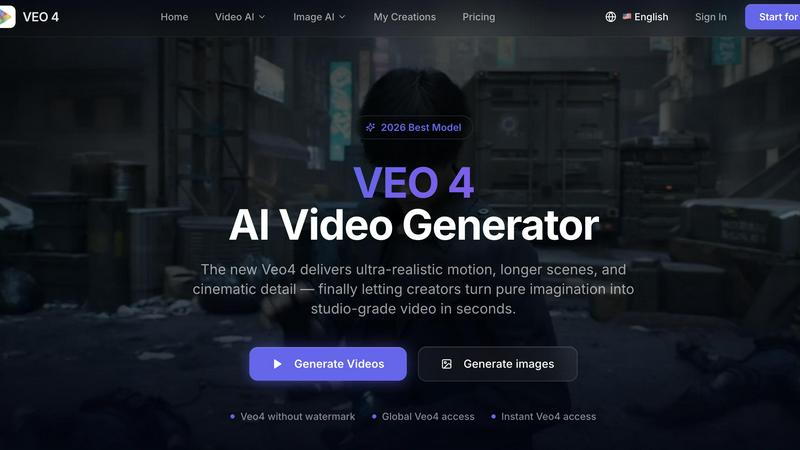
About Veo 4 video generator
Veo 4 is a cutting-edge AI video generator that empowers creators, marketers, and brands to quickly transform ideas into high-quality video content. Designed for efficiency and usability, Veo 4 sets itself apart from other AI video tools by delivering ultra-realistic motion and cinematic detail, allowing for the production of longer scenes that can be effectively used in various real-world projects. Its versatile functionality supports three primary creation paths: text to video, image to video, and video to video, catering to a wide range of user needs. Whether you start with a written prompt, a still image, or an existing video clip, Veo 4 enables you to produce polished, export-ready footage in mere seconds. This tool is particularly beneficial for marketing and creative teams seeking to generate first drafts rapidly, iterate on variations, and bridge the gap between concept and final media. With no watermarks on outputs and global accessibility, Veo 4 is the ideal solution for anyone looking to enhance their video production capabilities efficiently.
Features of Veo 4 video generator
Text to Video Creation
Veo 4 allows users to effortlessly convert text prompts into engaging video content. This feature is designed for those who want to explore concepts visually, enabling a seamless transition from ideas to actual footage.
Image to Video Animation
With the image to video functionality, users can upload still images and have them animated into dynamic video sequences. This feature provides visual direction and enhances existing visuals, making it invaluable for presentations and marketing materials.
Video to Video Enhancement
Veo 4 offers a video to video creation path, allowing teams to restyle or improve existing video clips. This capability is crucial for projects that require stronger pacing, cleaner motion, and an overall enhanced look without starting from scratch.
Clean Exports for Easy Integration
The tool ensures clean exports that facilitate easy integration into various workflows. Whether for editing, landing pages, or advertisement campaigns, Veo 4 provides outputs that are ready for immediate use, streamlining the production process.
Use Cases of Veo 4 video generator
Social Media Advertising
Veo 4 is perfect for creating ads and short-form videos for social media platforms. Marketers can generate compelling video content quickly, allowing for rapid testing and optimization of campaigns.
Product Launch Videos
When launching a new product, teams can use Veo 4 to create promotional videos that highlight features and benefits. The ability to produce high-quality visuals in a short time frame is essential for successful product launches.
Branded Storytelling
Brands can leverage Veo 4 to craft narrative-driven video content that resonates with their audience. By utilizing text, images, or existing footage, companies can tell their stories more effectively and engagingly.
Educational Content Creation
Veo 4 can be used to produce instructional videos and tutorials. Educators and trainers can create clear and engaging video materials that help convey complex information in an accessible format.
Frequently Asked Questions
What types of input does Veo 4 support?
Veo 4 supports three main types of input: text prompts, still images, and existing video clips. This versatility allows users to create videos tailored to their specific needs.
Is there a watermark on the videos generated by Veo 4?
No, Veo 4 does not place a watermark on the outputs. This feature makes the generated videos suitable for professional use in marketing and advertising without any branding restrictions.
How quickly can I generate videos using Veo 4?
Veo 4 is designed for speed, allowing users to generate high-quality videos in seconds. This rapid production capability is ideal for teams that need to move quickly from concept to finished media.
Can I integrate Veo 4 outputs into my existing workflows?
Yes, Veo 4 provides clean video exports that can be easily integrated into various editing workflows, landing pages, or social media campaigns, enhancing overall productivity.
Similar to Veo 4 video generator

Nano AI
Create and edit AI images, generate videos, and compare models in one creative workbench.

FreeVideoGenerator
Free AI video generator: turn text prompts and photos into video clips with Sora 2, Veo 3.1, Wan and more. Free starter credits, no watermark download

TryH3 - MiniMax H3 Video Generator
Try MiniMax Hailuo H3 video generation in the browser

AIPetGen
AIPetGen turns a photo of your dog, cat, or other pet, or a written description, into a new picture or a short animation.

Slide-Easy
A Mac app that turns your App Store link into a week of Instagram Reels and carousels, written from your real reviews.