

Alternatives to JustPDF
JustPDF is a privacy-first PDF toolkit offering 17 free tools to merge, convert, and compress files directly in your browser.
Explore 20 alternatives to JustPDF. Compare features, pricing, and find the best fit for your needs.

Noter AI
AI meeting notes, transcripts, summaries and action items on iPhone, iPad and Android.
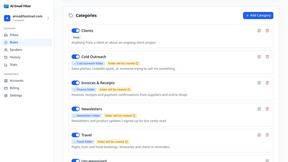
AI Email Filter
AI Email Filter sorts incoming mail into folders using plain-language prompts you write. Works with any IMAP mailbox; bring your own LLM if you want.
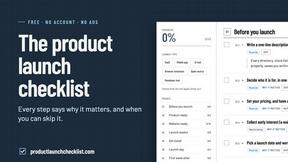
Product Launch Checklist
A free launch checklist for SaaS, apps, AI tools and more. Every step says why it matters and when you can skip it.
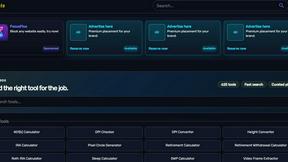
Kody Tools
Free collection of online developer utilities, code formatters, and digital converters designed to streamline your daily workflow.
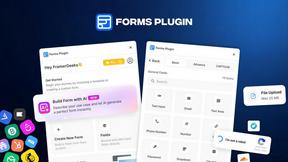
Forms Plugin
The #1 Native Form Builder Plugin for Framer - No Code, No Embeds, No External Platforms.

tallycounterweb.com
Online tally counter for tracking attendance, workouts, inventory, visitors, sports scores, habits, and everyday counting tasks.


iHatePosting
Create once, tailor for each platform, and schedule posts across 14 social networks from one simple dashboard.
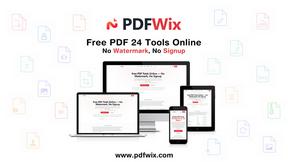
PDFWix
PDFWix is a free online PDF toolkit designed to make everyday PDF tasks simple, fast, and private.
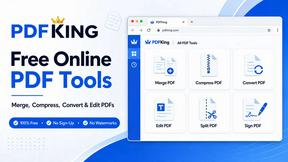
PDFKing
Free online PDF tools to merge, compress, convert, edit, sign, and manage documents—no signup, watermarks, or daily limits.



Video2URL
Turn videos, images, PDFs, and files into shareable links with fast uploads and privacy-friendly controls.

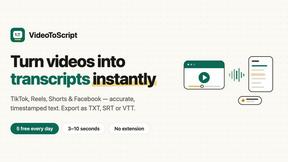
VideoToScript
Turn TikTok, Reels, Shorts, Facebook videos, audio, and video into accurate timestamped transcripts with TXT, SRT, and VTT exports.

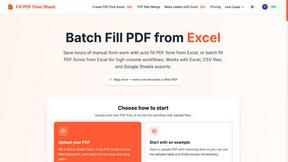
Fill PDF from Sheet
Fill PDF from Sheet automates the process of populating PDF forms using data from Excel, CSV, or Google Sheets.

About JustPDF Alternatives
JustPDF is a comprehensive PDF toolkit designed with a strong emphasis on user privacy. It falls within the productivity and management category, offering a suite of 17 professional-grade tools that operate entirely within the user's browser. This means that all processing is done locally on the device, ensuring that files remain secure and private, without being uploaded to external servers. By utilizing advanced technologies such as JavaScript and WebAssembly, JustPDF allows users to manipulate PDF files efficiently while keeping their data safe. Users often seek alternatives to JustPDF for various reasons such as pricing options, specific feature sets, or compatibility with different platforms. When evaluating alternatives, it is essential to consider factors such as ease of use, the range of tools available, data security measures, and customer support. Additionally, users should assess whether the alternative meets their requirements for privacy, especially for sensitive documents, and whether it aligns with their workflow needs, whether they require a free tier or a more extensive subscription service.
FAQs about JustPDF Alternatives
What is JustPDF?
JustPDF is a privacy-first PDF toolkit that provides users with a collection of 17 free tools for managing and editing PDF files. It operates entirely within the user's browser, ensuring that files are processed locally without being uploaded to external servers. This focus on local processing enhances user privacy and security.
Who is JustPDF for?
JustPDF is designed for anyone who needs reliable and efficient tools for handling PDF documents. This includes students, professionals, educators, and businesses that require a secure and user-friendly solution for PDF editing and management. Its FERPA compliance makes it particularly suitable for educational use.
Is JustPDF free?
Yes, JustPDF offers a free tier that allows users to access a limited number of operations per day without the need for an account. Users can perform up to three operations daily at no cost. For those who require unlimited access to the tools, a Pro subscription is available starting at $4 per month.
What are the main features of JustPDF?
JustPDF includes a comprehensive suite of 17 tools, such as Merge PDF, Split PDF, Compress PDF, Rotate PDF, and more. It also features advanced functionalities like OCR/Scan and AI-based chatting with PDF documents. These tools enable users to perform a wide range of tasks, from basic editing to complex conversions, all while maintaining a focus on user privacy and security.