
MacBrightness
MacBrightness unlocks your Mac's hidden brightness range, making your screen twice as bright in direct sunlight with no subscription needed.
Visit
About MacBrightness
MacBrightness is a utility application designed for MacBook Pro users and Pro Display XDR owners who need more screen brightness than macOS typically allows. The software unlocks the hidden brightness range that Apple built into its mini-LED displays, enabling screens to reach up to 1,600 nits of sustained brightness across all applications, not just during HDR video playback. This means your Mac can go nearly twice as bright as the standard maximum, making your screen readable in direct sunlight, on bright patios, near windows, or anywhere glare becomes a problem.
The product is built for professionals who work on the go, including designers, developers, founders, and remote workers who frequently find themselves in bright environments. Instead of requiring complex configurations or new shortcuts, MacBrightness integrates seamlessly with the existing brightness keys on your keyboard. Simply press the brightness up key past the old limit, and the entire screen increases in brightness, system-wide.
MacBrightness operates without noticeable CPU overhead and avoids low-level system hacks. It simply accesses the HDR brightness range that your display already supports for video content and makes it available for every app. The software offers a free trial in Splitscreen Mode, where half the screen shows full MacBrightness brightness while the other half remains at stock levels, allowing users to compare the difference side by side. A one-time purchase unlocks the full-screen experience with no subscription required.
Features of MacBrightness
System-Wide Brightness Unlock
MacBrightness unlocks the hidden brightness potential of your MacBook Pro display, allowing it to reach up to 1,600 nits of sustained brightness across every application. Unlike macOS, which reserves this extreme brightness range only for HDR video content, MacBrightness makes the full panel available for your browser, code editor, design software, email client, and any other app you use. This system-wide approach ensures that no matter what you are working on, your screen remains visible and sharp, even under direct sunlight or harsh indoor lighting.
Works with Existing Brightness Keys
The software requires no new shortcuts, menu-bar hunting, or complex configurations. You continue using the brightness keys already built into your MacBook keyboard. Simply press the brightness up key past the previous maximum limit, and the screen keeps getting brighter. This intuitive design means there is zero learning curve. The extra brightness range feels like a natural extension of your existing controls, making the transition seamless for anyone who already knows how to adjust their screen brightness.
Splitscreen Free Trial Mode
MacBrightness offers a unique free trial experience through its Splitscreen Mode. When you first launch the application, one half of your screen immediately jumps to full MacBrightness brightness while the other half remains at the standard macOS maximum. This side-by-side comparison lets you see the dramatic difference in real time, on your own display, under your current lighting conditions. The Splitscreen Mode remains free for as long as you like, with no time limit, so you can evaluate the product thoroughly before making a purchase decision.
No Performance Impact or Low-Level Hacks
MacBrightness is engineered to operate with no noticeable CPU overhead. It does not rely on low-level system modifications, kernel extensions, or risky hacks that could compromise system stability or security. Instead, the software intelligently accesses the HDR brightness range that your display hardware already supports natively. This means your MacBook Pro continues to perform exactly as it should, with no additional fan noise, battery drain, or performance degradation. The extra brightness is simply there when you need it, without any compromise.
Use Cases of MacBrightness
Working Outdoors in Direct Sunlight
Professionals who need to work from outdoor locations, such as café patios, park benches, or rooftop decks, often struggle with unreadable screens. Standard macOS brightness caps out well before it can overcome direct sunlight. MacBrightness solves this by nearly doubling the available brightness, making text, images, and interfaces clearly visible even when the sun is shining directly on the display. This use case is ideal for remote workers, freelancers, and digital nomads who want to choose their workspace without being limited by lighting conditions.
Traveling on Airplanes and in Bright Environments
Frequent travelers often find themselves working on airplanes, in airport lounges, or near bright windows in hotels and conference rooms. These environments create significant glare that washes out standard screen brightness. MacBrightness provides the extra luminance needed to maintain productivity in these challenging settings. Whether you are reviewing documents at 35,000 feet or answering emails next to a floor-to-ceiling window, the increased brightness range keeps your content sharp and readable without requiring you to constantly adjust your position or angle.
Outdoor Presentations and Client Meetings
Professionals who conduct presentations or client meetings outdoors, such as architects reviewing plans on a construction site, photographers showing portfolios in natural light, or sales representatives demonstrating products at outdoor events, benefit greatly from MacBrightness. The ability to push screen brightness past the standard limit ensures that your visuals remain vibrant and legible for all attendees, regardless of ambient lighting. This capability can make the difference between a successful presentation and one where nobody can see the details.
Creative Work in Variable Lighting
Designers, video editors, and photographers often work in studios or locations with changing light conditions throughout the day. A workspace that is comfortable in the morning may become too bright by afternoon as the sun shifts. MacBrightness gives creative professionals the flexibility to adjust their screen brightness dynamically to match their environment. This is particularly valuable for color-critical work where accurate screen visibility is essential, and where squinting or repositioning to see details can lead to errors in judgment.
Frequently Asked Questions
Which Mac models are compatible with MacBrightness?
MacBrightness works exclusively with MacBook Pro 14-inch and 16-inch models featuring M-series Pro or Max chips, as well as the Pro Display XDR. These devices use mini-LED panels capable of sustaining approximately 1,600 nits of brightness. The software does not support other Mac models, including MacBook Air, older Intel-based MacBook Pros, or external displays other than the Pro Display XDR, because those screens lack the hardware capability to achieve the extended brightness range.
Does MacBrightness drain my battery faster?
Using MacBrightness at higher brightness levels will consume more battery power, just as increasing screen brightness on any device does. However, the software itself operates with no noticeable CPU overhead and does not introduce additional power draw beyond what the display naturally requires to produce more light. Users can expect battery life to be comparable to running the display at equivalent brightness levels during HDR video playback, which macOS already supports.
Is there a subscription fee for MacBrightness?
No, MacBrightness requires only a one-time purchase to unlock the full-screen experience. There are no recurring subscription fees, no monthly charges, and no hidden costs. The Splitscreen Mode is available for free indefinitely, allowing you to test the product for as long as you want. When you decide to purchase, you pay once and own the license permanently, with no ongoing financial commitment.
How do I install and start using MacBrightness?
Installation is straightforward and takes approximately thirty seconds. Download the application from the official website, open it, and it launches immediately without requiring an account or any setup process. MacBrightness opens in Splitscreen Mode by default, showing half your screen at full brightness and half at stock brightness. To use the full-screen brightness, simply purchase a license through the application. After purchase, press your brightness up key past the old limit to activate the extended range across your entire display.
Pricing of MacBrightness
MacBrightness is available for a one-time purchase price of five dollars. This single payment unlocks the full-screen brightness feature permanently across all applications. There are no subscription fees, no recurring charges, and no additional costs for updates or support. The Splitscreen Mode, which provides half the screen at full brightness for side-by-side comparison, remains free for as long as you like with no time limit. This pricing model ensures that users can thoroughly test the product before committing to a purchase, and once purchased, they own the software outright with no ongoing financial obligation.
Explore more in this category:
Similar to MacBrightness
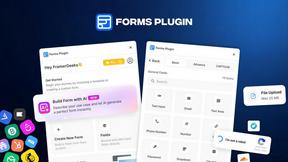
Forms Plugin
The #1 Native Form Builder Plugin for Framer - No Code, No Embeds, No External Platforms.
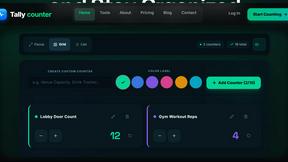
tallycounterweb.com
Online tally counter for tracking attendance, workouts, inventory, visitors, sports scores, habits, and everyday counting tasks.

iHatePosting
Create once, tailor for each platform, and schedule posts across 14 social networks from one simple dashboard.

PDFWix
PDFWix is a free online PDF toolkit designed to make everyday PDF tasks simple, fast, and private.
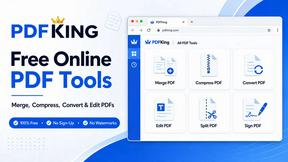
PDFKing
Free online PDF tools to merge, compress, convert, edit, sign, and manage documents—no signup, watermarks, or daily limits.


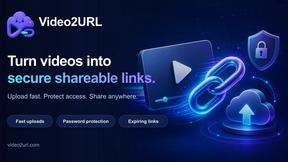
Video2URL
Turn videos, images, PDFs, and files into shareable links with fast uploads and privacy-friendly controls.