Push My App
Push My App is a unified dashboard that generates optimized metadata and screenshots, scans for rejection risks, and submits your listings directly.
Visit
About Push My App
Push My App is an all-in-one platform designed specifically for indie developers and small studios who want to streamline the process of preparing, optimizing, and submitting their mobile applications to both the Apple App Store and Google Play Store. The core value proposition is simple: what traditionally takes days of manual, repetitive work can now be accomplished in minutes. The platform leverages artificial intelligence to generate search-optimized metadata including app names, keywords, descriptions, and release notes, all tailored for App Store Optimization (ASO). Beyond metadata creation, Push My App offers a comprehensive suite of tools including a Pre-Flight Rejection Scanner that checks your build and listing against over 80 known Apple and Google rejection reasons before you submit. This proactive approach helps developers avoid the frustrating and time-consuming rejection cycle. The platform also automates screenshot resizing, translating your single set of screenshots into every required device size for both stores. Additionally, Push My App supports full listing translation into 14 languages, with keywords re-optimized for each locale. Developers can directly submit their .ipa, .apk, or .aab files to App Store Connect and Google Play Console with a single click. The platform even allows you to generate a website and support mailbox for your app using the metadata and screenshots you have already created. Built by an indie developer for fellow indies, Push My App is the productivity tool that lets developers focus on what they do best: coding and building great apps.
Features of Push My App
AI-Generated ASO Metadata
This feature uses advanced artificial intelligence to generate your app's name, subtitle, keywords, description, and release notes, all optimized for discoverability on both the App Store and Google Play. The AI analyzes your app's purpose and target audience to produce high-quality, search-friendly text that scores well against ASO benchmarks. Instead of spending hours brainstorming and researching keywords, you get a fully optimized metadata set in seconds. The system even provides scores for your title, keywords, and subtitle so you can see exactly how well your listing is optimized before you submit.
Pre-Flight Rejection Scanner
Before you hit the submit button, the Pre-Flight Rejection Scanner analyzes your build and listing against a comprehensive database of over 80 known rejection reasons from both Apple and Google. This includes common issues like missing privacy manifests, incorrect app icons, problematic permissions, and metadata violations. The scanner flags potential blockers and provides clear guidance on what needs to be fixed. This proactive validation saves developers from the painful and costly experience of being rejected after submission, which can delay launches by days or even weeks.
Screenshot Resizer and Translator
Upload a single set of screenshots for your app, and the Screenshot Resizer automatically generates every required device size for both the App Store and Google Play. This eliminates the tedious manual work of resizing and cropping images for different screen dimensions. Complementing this, the App Translator feature translates your entire app listing into 14 different languages, including Spanish, German, French, Japanese, Portuguese, and more. Critically, the translator does not simply translate text; it re-optimizes your keywords for each specific locale, ensuring your app remains discoverable in international markets.
Direct Submission and App File Scanner
This feature allows you to drop your .ipa, .apk, or .aab file directly into the platform. The App File Scanner automatically extracts critical information such as the bundle ID, version number, and app icon, while also validating the file for compliance issues. Once validated, you can submit your app directly to App Store Connect and Google Play Console with a single click. The submission process includes pre-submission validation to catch any last-minute errors. This eliminates the need to switch between multiple developer portals and manual upload processes, consolidating everything into one streamlined workflow.
Use Cases of Push My App
Solo Indie Developer Preparing for a Major App Launch
An independent developer working alone on a new productivity app has limited time and resources. Instead of spending days manually crafting App Store metadata, resizing screenshots for dozens of device sizes, and worrying about potential rejection reasons, they can use Push My App. The AI generates optimized keywords and descriptions, the screenshot resizer handles all image formats, and the rejection scanner checks the build before submission. The developer can then submit directly to both stores in one afternoon, freeing up their time to focus on fixing bugs and adding features for the launch.
Small Studio Managing Multiple App Versions Across iOS and Android
A small mobile game studio releases updates for both their iOS and Android versions simultaneously. Manually managing metadata, screenshots, and release notes for two different platforms across multiple versions is a logistical nightmare. Push My App provides a single dashboard where the team can see both iOS and Android profiles side by side. They can generate and approve AI-written release notes, resize screenshots once for all platforms, translate the listing for their global audience, and submit updates to both stores in one click, ensuring a synchronized and efficient release cycle.
Developer Expanding an App into International Markets
A developer has a successful English-language app and wants to launch it in Japan, Germany, and France. The traditional approach involves hiring translators, manually adapting keywords for each market, and resubmitting the app multiple times. With Push My App, the developer simply uses the App Translator to generate the full listing in 14 languages. The platform does not just translate the text; it re-optimizes the keywords for each locale, ensuring the app ranks well in foreign App Stores. This dramatically reduces the time and cost of international expansion.
Team Using CI/CD Pipelines Like Fastlane or GitHub Actions
A development team uses continuous integration and deployment pipelines to automate their build process. They want to extend that automation to the app store submission process. Push My App integrates seamlessly with tools like Fastlane, Xcode, Android Studio, Expo, and GitHub Actions. The team can automate the upload of their builds and metadata directly from their CI/CD pipeline. This creates a fully automated workflow from code commit to store submission, reducing manual intervention and the risk of human error in the final release step.
Frequently Asked Questions
What file types does Push My App support for app uploads?
Push My App supports the standard app binary file formats for both major mobile platforms. You can upload .ipa files for iOS applications, and .apk or .aab files for Android applications. When you drop your file into the platform, the App File Scanner automatically extracts essential information like the bundle ID, version number, and app icon. It also validates the file for compliance issues, ensuring that your binary meets the basic requirements set by Apple and Google before you proceed with the full submission process.
How does the Pre-Flight Rejection Scanner work?
The Pre-Flight Rejection Scanner is a proactive validation tool that checks your app build and listing metadata against a database of over 80 known rejection reasons from both Apple and Google. It analyzes your binary for common issues like missing privacy manifests or incorrect permissions. It also reviews your metadata for violations such as using prohibited keywords or having misleading descriptions. The scanner then generates a report highlighting any potential blockers, along with guidance on how to fix them. This allows you to address issues before submitting, significantly reducing the chance of a rejection.
Can I use Push My App if I already have my app metadata written?
Yes, absolutely. While Push My App offers powerful AI-generated metadata creation, you are not required to use it. You can manually input or paste your own app name, subtitle, keywords, description, and release notes directly into the platform. The system will still score your existing metadata for ASO effectiveness and provide suggestions for improvement. You can then use all the other features like the screenshot resizer, app translator, rejection scanner, and direct submission with your own custom metadata, giving you full control over your listing.
How many languages does the App Translator support and is it just a basic translation?
The App Translator supports 14 languages including English, Spanish, German, French, Japanese, Portuguese, and eight others. It is not a basic, word-for-word translation tool. The system is designed for App Store Optimization, meaning it translates your entire listing while simultaneously re-optimizing your keywords for each specific locale. This is critical because a keyword that performs well in English may be irrelevant or have different search volume in another language. The translator ensures your app remains discoverable and competitive in every target market.
Similar to Push My App
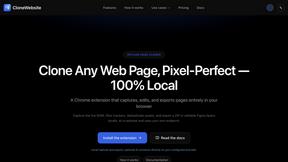
CloneWebsite
Clone any webpage pixel-perfect, export HTML/CSS/ZIP or React/Vue components.
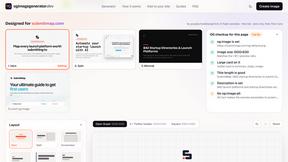
ogimagegenerator.dev
Paste a URL and AI designs on-brand Open Graph images from your page's colours, fonts and logo. Free, no sign-up.
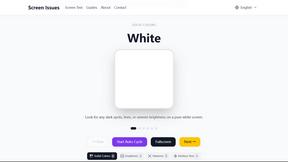
Screen Issues
Free Online Screen Test Tool - Instantly diagnose dead pixels, lines, color issues, and flickering. Multiple test modes, no download needed.
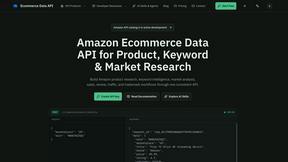
Ecommerce Data API
Amazon research data APIs, remote MCP and Agent Skills for products, keywords, markets, reviews and traffic.