

Alternatives to Caption.IM
Caption.IM turns any Mac audio into real-time captions, translations, and AI summaries with total privacy.
Explore 20 alternatives to Caption.IM. Compare features, pricing, and find the best fit for your needs.
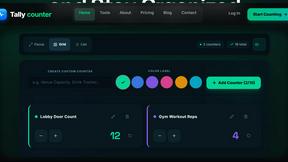
tallycounterweb.com
Online tally counter for tracking attendance, workouts, inventory, visitors, sports scores, habits, and everyday counting tasks.

iHatePosting
Create once, tailor for each platform, and schedule posts across 14 social networks from one simple dashboard.

PDFWix
PDFWix is a free online PDF toolkit designed to make everyday PDF tasks simple, fast, and private.
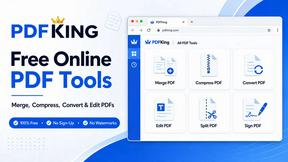
PDFKing
Free online PDF tools to merge, compress, convert, edit, sign, and manage documents—no signup, watermarks, or daily limits.



Video2URL
Turn videos, images, PDFs, and files into shareable links with fast uploads and privacy-friendly controls.

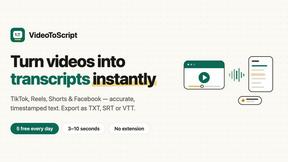
VideoToScript
Turn TikTok, Reels, Shorts, Facebook videos, audio, and video into accurate timestamped transcripts with TXT, SRT, and VTT exports.


Fill PDF from Sheet
Fill PDF from Sheet automates the process of populating PDF forms using data from Excel, CSV, or Google Sheets.


Wisegrid
Wisegrid helps project-driven teams manage projects, workflows, resources, and reporting in a familiar spreadsheet-style workspace.


Postqued
Schedule and publish social content across 10 platforms with one dashboard, API, and MCP built for teams and AI agents.


ihatepdf.cv
ihatepdf.cv is a privacy-first, browser-based PDF platform that provides an extensive suite of tools for editing, converting, compressing, organizing,

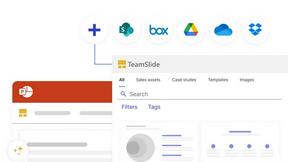
TeamSlide
TeamSlide lets your team build on-brand presentations instantly by syncing approved slides from your content system directly into PowerPoint.

About Caption.IM Alternatives
Caption.IM is a privacy-focused AI captioning assistant designed exclusively for macOS, falling within the productivity and management software category. It transforms any system audio into real-time captions, translations, recordings, and structured meeting notes using local AI processing, which sets it apart from browser-based tools. Users commonly seek alternatives to Caption.IM for several reasons, including the need for cross-platform support beyond macOS, different pricing structures, or the desire for additional features like advanced video editing or cloud-based collaboration that Caption.IM does not offer. Some users may also require integration with specific enterprise tools or prefer a solution with a more extensive language library. When evaluating an alternative to Caption.IM, it is essential to consider your primary use case, such as whether you need live captioning for meetings, on-demand transcription for recorded media, or multilingual translation capabilities. Look for software that offers a strong balance between accuracy and processing speed, as well as robust privacy protections if you handle sensitive information. Additionally, assess the platform compatibility, ease of setup, and whether the tool supports the applications you frequently use, such as video conferencing platforms, media players, or web browsers. Finally, compare pricing models to ensure the solution fits your budget without sacrificing essential features like export options or real-time performance.
FAQs about Caption.IM Alternatives
What is Caption.IM?
Caption.IM is a privacy-first AI captioning assistant designed specifically for macOS. It captures system audio directly to generate real-time captions, instant translations, recordings, and structured meeting notes, all powered locally on your device. Unlike browser extensions or meeting bots, it works across a wide range of applications including Zoom, Google Meet, Microsoft Teams, YouTube, podcasts, and webinars.
Who is Caption.IM for?
Caption.IM is ideal for macOS users who need real-time captioning, translation, or note-taking during meetings, online courses, webinars, or while consuming media. It benefits individuals with hearing impairments, multilingual professionals, remote workers, students, and anyone seeking to improve productivity and accessibility without relying on cloud-based services. The tool is particularly useful for those who prioritize privacy and want to avoid having meeting bots join their conversations.
Is Caption.IM free?
Based on the provided product description, Caption.IM is a commercial product, but specific pricing details are not mentioned in the content. Users should visit the official website or contact the developer to learn about free trials, subscription plans, or one-time purchase options. The description emphasizes its local AI processing and privacy features, which may influence its pricing compared to cloud-based competitors.
What are the main features of Caption.IM?
Caption.IM offers real-time AI captions for any audio on your Mac, including live subtitles for conversations and meetings. It provides instant translations for multilingual content, the ability to record important audio, and tools to transform long discussions into clear summaries, key points, action items, and mind maps. All processing is done locally on your device, ensuring privacy and eliminating the need for browser dependency or meeting bots.