
Tagada
Tagada parses Gmail into clickable sentences for local highlighting and tagging, keeping your data private without AI or cloud.
Visit
About Tagada
Tagada is a specialized browser extension designed to streamline how professionals read, organize, and reply to emails directly within Gmail. Unlike traditional email workflows that often involve writing responses in colored text within the original message, Tagada introduces a structured approach to email management. The extension parses incoming emails into individual, clickable sentences. Users can then highlight, tag, and categorize these sentences with a single click. This process allows for quick identification of key points, action items, and important details without manual note-taking or re-reading entire threads. Once the user has selected the relevant sentences, Tagada automatically generates a clean reply template built around those specific points. This feature helps users craft faster, clearer, and more organized responses. A core differentiator of Tagada is its commitment to privacy: all processing happens 100% locally on the user's device. No data is sent to the cloud, no third-party servers are involved, and no AI models process the email content. This makes Tagada ideal for professionals, support teams, freelancers, consultants, and anyone managing long, complex email threads. By integrating seamlessly into the familiar Gmail interface, Tagada eliminates the need to learn a new tool while significantly reducing response time and improving the clarity of written communication.
Features of Tagada
Instant Email Parsing
Tagada automatically scans incoming Gmail messages and breaks them down into individual, selectable sentences. This feature transforms a dense block of text into a clear, structured list of points. Users can quickly scan the parsed content to identify the most relevant information without getting lost in lengthy paragraphs. The parsing happens instantly within the Gmail interface, making the entire reading and response process more efficient and less mentally taxing.
One-Click Highlighting and Tagging
After an email is parsed, users can highlight any sentence with a single click. Tagada allows for these highlights to be tagged and organized by predefined categories. This functionality enables users to classify information such as action items, questions, key facts, or follow-up tasks directly within the email view. This visual organization helps users maintain context and ensures that no critical detail is overlooked when crafting a reply.
Auto-Generated Reply Templates
Based on the sentences a user has highlighted and tagged, Tagada automatically generates a clean, structured reply template. This template incorporates the selected points into a logical order, providing a solid foundation for the user's response. Instead of writing from scratch or copying and pasting fragments, users can edit and expand upon the generated template. This feature drastically reduces response time and helps ensure that all important topics are addressed coherently.
100% Local and Private Processing
Tagada processes all email content exclusively on the user's local device. No data is ever sent to external servers, cloud services, or third-party AI models. This means that sensitive information contained within emails, including confidential business discussions or personal details, never leaves the user's computer or the Gmail environment. This architecture provides complete data privacy and security, making Tagada a trustworthy tool for handling sensitive correspondence.
Use Cases of Tagada
Managing Complex Client Communications
Consultants and account managers often receive lengthy emails from clients with multiple requests, questions, and updates. Tagada allows them to parse these emails instantly, highlight each distinct request or concern, and tag them by priority or topic. The auto-generated reply template then ensures that every client point is addressed in a structured manner, reducing the risk of missed items and improving professionalism in responses.
Streamlining Support Ticket Responses
Support teams dealing with high volumes of incoming tickets can use Tagada to quickly extract the core issue from a customer's email. By highlighting the problem description, error messages, and specific questions, agents can generate a focused reply template. This speeds up the response process, maintains consistency in support communications, and ensures that all customer concerns are fully addressed without requiring multiple back-and-forth emails.
Organizing Internal Team Updates
Team leads and project managers frequently receive status updates and progress reports from multiple team members. Tagada helps parse these updates into individual action items, deadlines, and blockers. By tagging these elements, managers can quickly organize the information and generate a consolidated reply or summary. This keeps team communications clear and ensures that critical tasks are tracked and acknowledged.
Improving Freelancer Client Correspondence
Freelancers often juggle multiple clients with varying project scopes and deadlines. Tagada enables them to quickly parse client emails, highlight specific deliverables, deadlines, and revision requests. The auto-generated reply template helps freelancers provide clear, structured responses that confirm understanding of the task. This reduces the chance of miscommunication and helps maintain professional client relationships.
Frequently Asked Questions
Is Tagada free?
Tagada can be used without a paid license, but free usage comes with limited functionality. For access to the full set of features, including unlimited highlighting, tagging, and reply template generation, we recommend purchasing a license. This ensures you get the best possible experience and maximum productivity from the extension.
What data do you collect?
We only collect essential data to enhance your experience: your first name, email address, and language preference. We respect your privacy and do not collect any unnecessary information such as your email content, browsing history, or personal communications. Your data remains under your control.
Do you send our emails to your servers?
No, your emails are never sent to our servers. Everything remains local on your device. At Tagada, we make sure that your data stays private and under your control. All parsing, highlighting, and template generation happens directly on your computer within the Gmail interface.
Some emails get broken, how can I fix it?
If your emails appear to be corrupted or disorganized after using Tagada, the best solution is to disable the extension, reply to your emails, and then re-enable it. Some emails may have a specific structure that the extension is unable to parse correctly. Disabling and re-enabling the extension typically resolves this issue without any data loss.
Similar to Tagada

Video2URL
Turn videos, images, PDFs, and files into shareable links with fast uploads and privacy-friendly controls.

VideoToScript
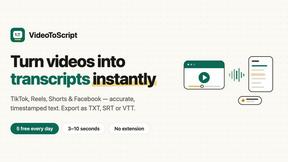
Turn TikTok, Reels, Shorts, Facebook videos, audio, and video into accurate timestamped transcripts with TXT, SRT, and VTT exports.

Fill PDF from Sheet
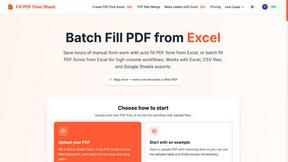
Fill PDF from Sheet automates the process of populating PDF forms using data from Excel, CSV, or Google Sheets.


Wisegrid
Wisegrid helps project-driven teams manage projects, workflows, resources, and reporting in a familiar spreadsheet-style workspace.
