

Alternatives to Tagada
Tagada parses Gmail into clickable sentences for local highlighting and tagging, keeping your data private without AI or cloud.
Explore 20 alternatives to Tagada. Compare features, pricing, and find the best fit for your needs.

Uniclip
Clip pages, take full-page screenshots and batch-capture list data to Notion, Feishu, Obsidian, Markdown, CSV or JSON.

TroveKey
Search tabs, Chrome bookmarks and history, run browser commands, and save webpages and social posts locally—no account.

Todowing
Chrome extension for Todoist that nests sub-tasks inline in Today, Upcoming, Filter and Label views. Free, with a $19.99 one-time unlock.

LightScreen
Free light screen tool online. Turn any display into a flashlight, ambient light, or solid-color screen. No download or sign-up.

FreeVideoGenerator
Free AI video generator: turn text prompts and photos into video clips with Sora 2, Veo 3.1, Wan and more. Free starter credits, no watermark download

Noter AI
AI meeting notes, transcripts, summaries and action items on iPhone, iPad and Android.
AI Email Filter
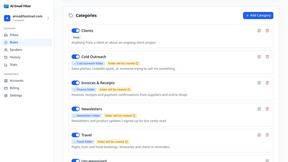
AI Email Filter sorts incoming mail into folders using plain-language prompts you write. Works with any IMAP mailbox; bring your own LLM if you want.


Product Launch Checklist
A free launch checklist for SaaS, apps, AI tools and more. Every step says why it matters and when you can skip it.
Kody Tools
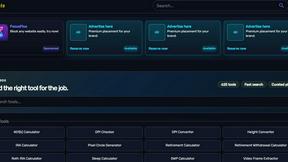
Free collection of online developer utilities, code formatters, and digital converters designed to streamline your daily workflow.

Forms Plugin
The #1 Native Form Builder Plugin for Framer - No Code, No Embeds, No External Platforms.
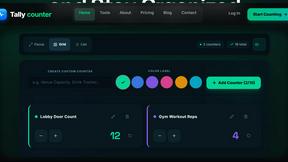
tallycounterweb.com
Online tally counter for tracking attendance, workouts, inventory, visitors, sports scores, habits, and everyday counting tasks.


iHatePosting
Create once, tailor for each platform, and schedule posts across 14 social networks from one simple dashboard.
PDFWix
PDFWix is a free online PDF toolkit designed to make everyday PDF tasks simple, fast, and private.


About Tagada Alternatives
Tagada is a browser extension designed to enhance email productivity within Gmail, falling under the category of productivity and management tools. It distinguishes itself by parsing incoming emails into clickable, selectable sentences, allowing users to highlight, tag, and organize key information locally without sending any data to the cloud. Users commonly seek alternatives due to factors such as pricing structures, a desire for different feature sets like advanced automation or integration with other platforms, or specific operating system and browser compatibility needs that Tagada may not fully support. When evaluating alternatives, it is crucial to consider how the tool handles data privacy, especially if you manage sensitive information. Look for solutions that offer local processing or clear data encryption policies. Additionally, assess the core functionality for parsing and organizing email content, ensuring the tool reduces response time effectively. Compatibility with your existing workflow, such as seamless integration with Gmail or other email clients, and the availability of features like automated reply templates or multi-platform support should also guide your decision to find a tool that matches your specific professional needs.
FAQs about Tagada Alternatives
What is Tagada?
Tagada is a browser extension that transforms how you read and reply to emails in Gmail. It parses incoming emails into clickable sentences you can highlight, tag, and organize by category, and then generates clean reply templates based on your selections. All processing happens locally on your device, meaning no data is sent to the cloud or any third-party servers.
Who is Tagada for?
Tagada is ideal for professionals, support teams, freelancers, consultants, and anyone who manages long email threads regularly. It is designed for users who need to reduce response time, structure their replies clearly, and maintain complete privacy over their email data. The tool works directly inside Gmail, so no new software or complex workflows are required to learn.
What are the main features of Tagada?
Key features include instant parsing of emails into selectable sentences, one-click highlighting and tagging by category, and auto-generated reply templates built from your selections. The tool operates 100% locally with no AI, no cloud processing, and no third-party server involvement. It works directly inside Gmail, allowing you to stay within your familiar email interface while boosting productivity.
Is Tagada secure?
Yes, Tagada is designed with security as a core principle. It processes all email data locally on your computer, meaning your information never leaves your device or is sent to the cloud. There is no reliance on AI, third-party servers, or external services, ensuring your email content remains completely private and under your control at all times.